

Own your show time.
Turn music and sound effects into moments in your show — from your first use to professional operation.
You prepare beforehand. During the show, you decide the right moment for every entrance, pause, and effect.
How do you control music in your show today?
Start with an entrance, a pause, and an ending. You control everything at the right moment.
Stop searching for tracks during the performance. Have every moment ready.
Organize sequences, acts, fades, and backups to perform with more confidence.
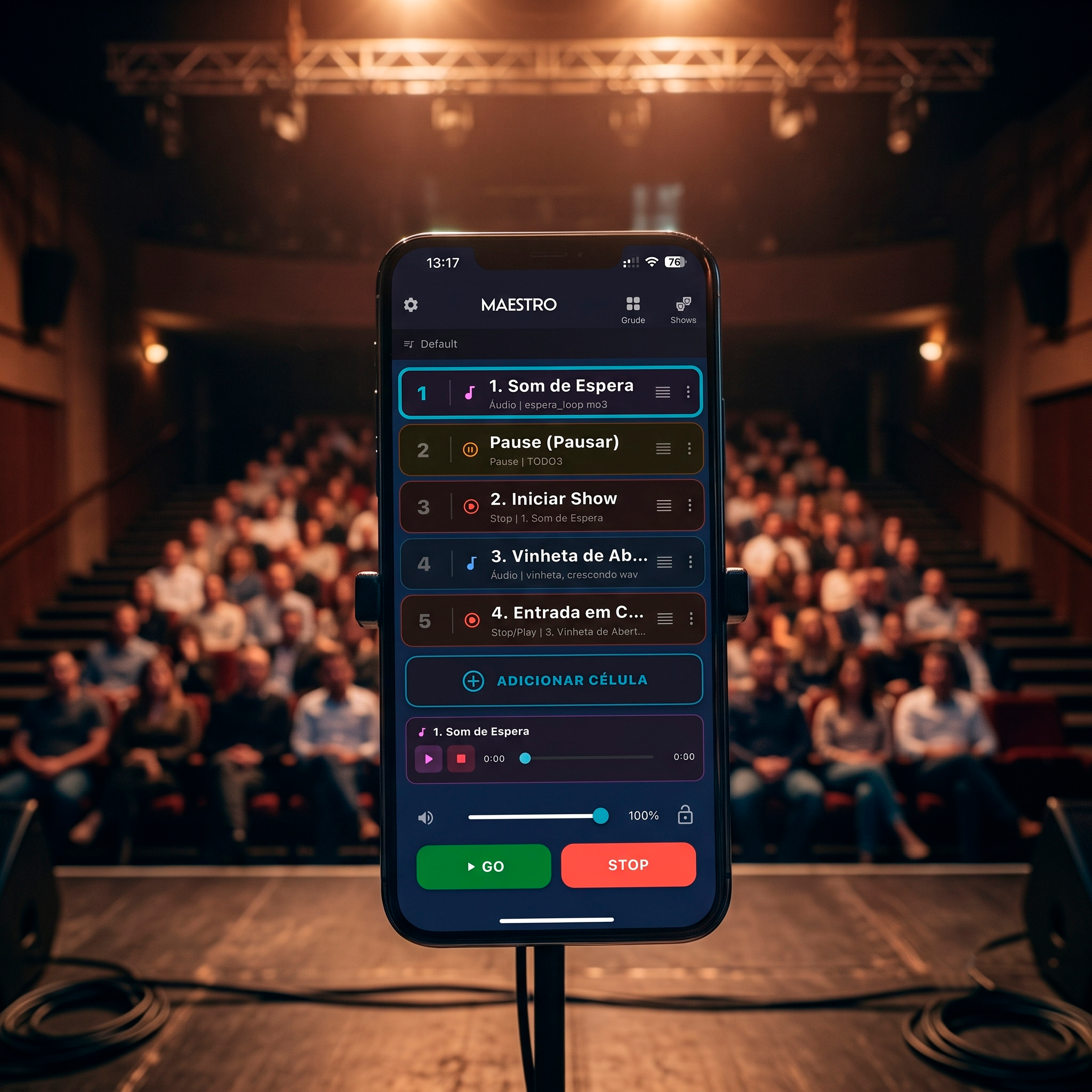
Synchronized music and sound effects to enhance your show.
In a magic, circus, or stage performance, music isn’t just background. It marks the breathing, builds expectation, and follows every interaction with the audience.
With Maestro, music, sound effects, and pauses are organized into cues, acts, and playlists. You prepare everything before the show and trigger each moment when the scene calls for it.
If someone else is operating the sound, Maestro simplifies their job too. The structure is already set, and your assistant only needs to trigger the next moment.
Understand Maestro.
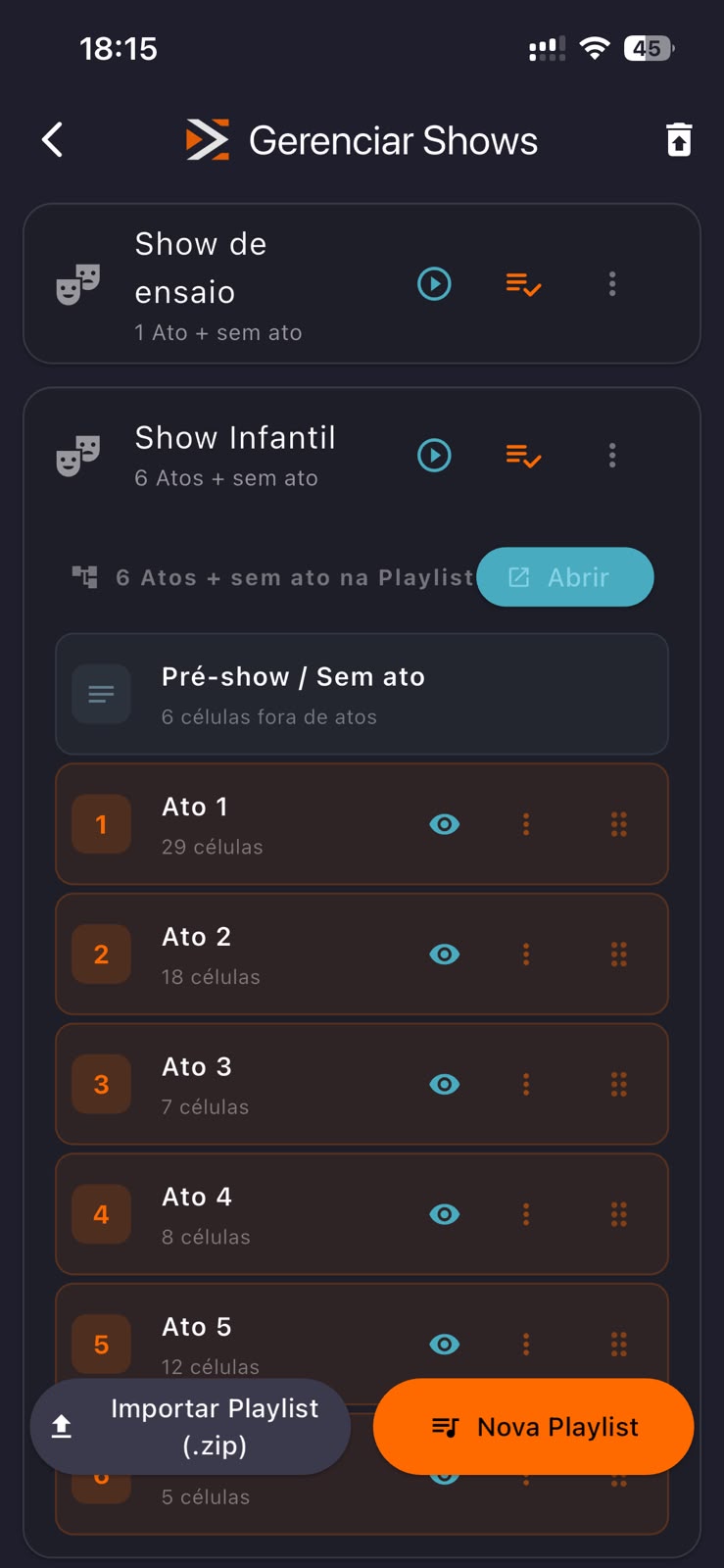
Shows and playlists
Every performance is a show, with its own sequence of cues, acts, and playlists.
How to use- Create a show for each performance
- Organize music and effects in the order of the show
- Duplicate the show to adapt it for another performance
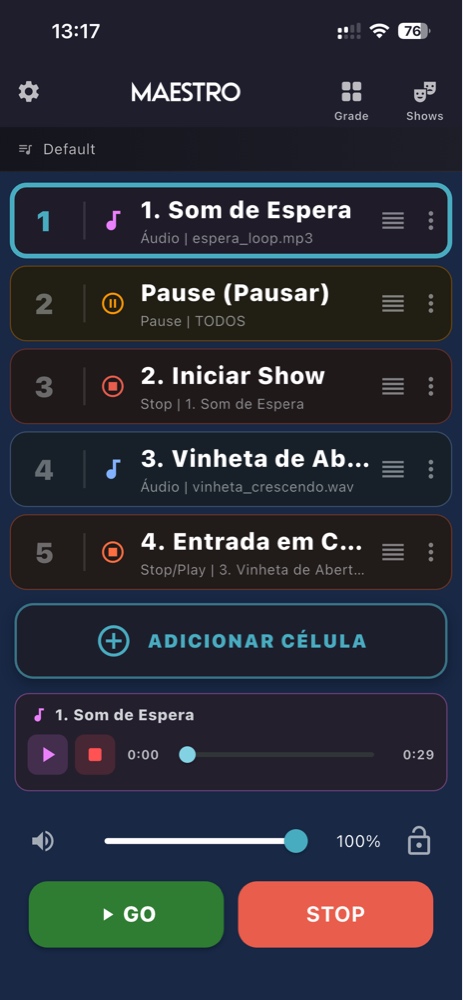
Cues and GO button
Each cue represents a moment in the show: starting a track, triggering an effect, stopping audio, or changing volume.
How to use- Organize cues in the order of the performance
- The playhead indicates the current playback position
- Use GO to advance and STOP to interrupt
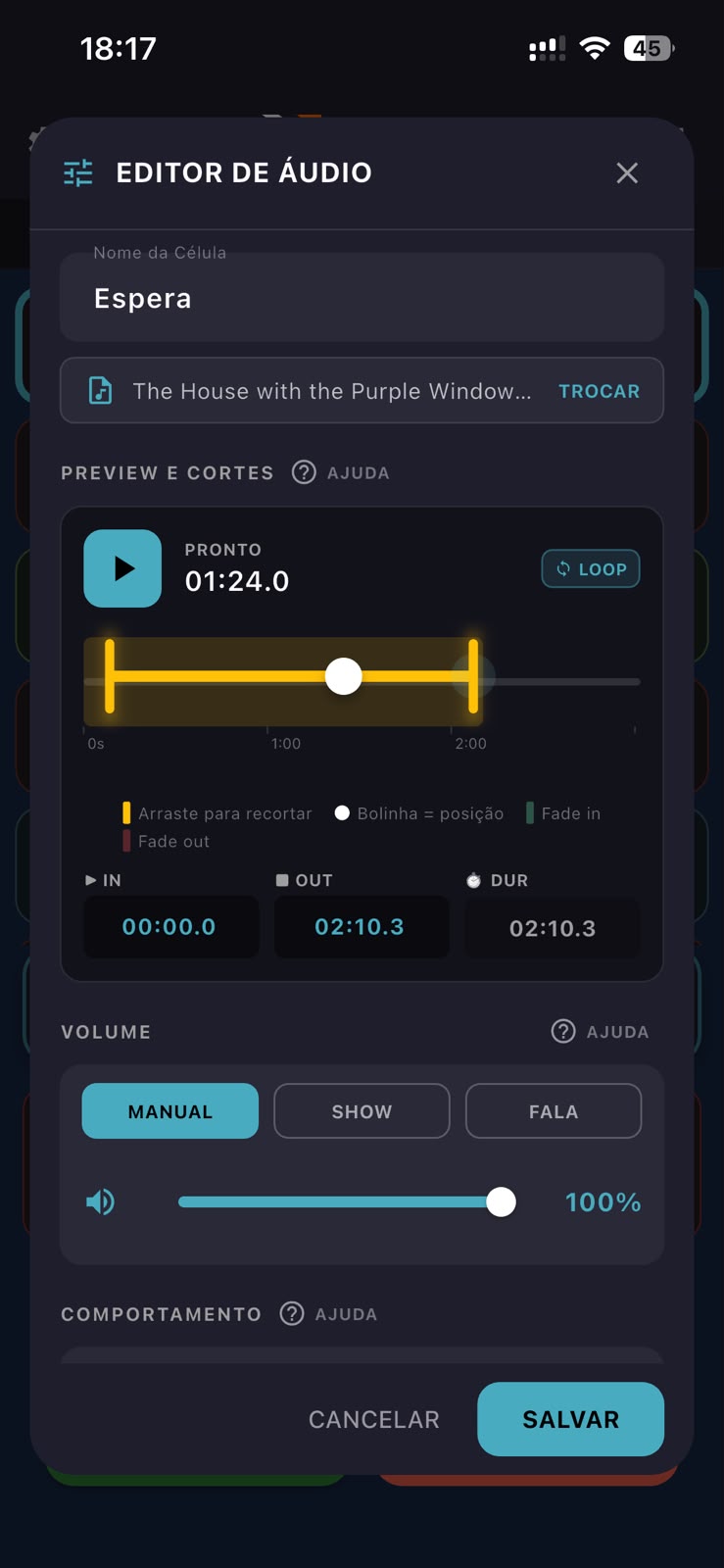
Audio editor
Trim tracks, set in and out points, adjust fade, loop, and volume for each audio without leaving the show.
How to use- Mark the start and end
- Set fade in and fade out
- Adjust volume and loop
Import audio
Bring music, jingles, and effects already on your device into your shows.
How to use- Add files via the Files app or from your computer
- Keep everything available offline
- Reuse audio across multiple shows
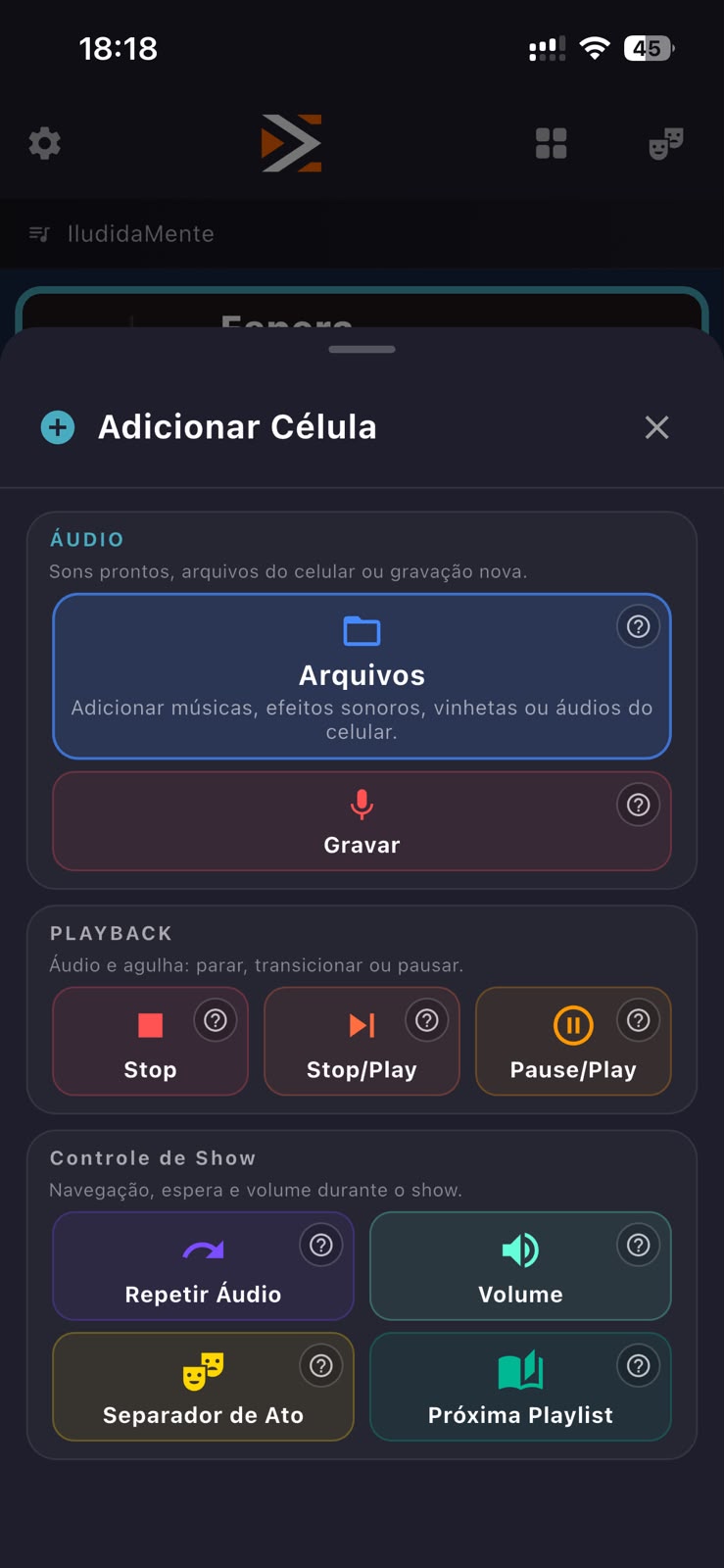
Acts and structure
Divide the show into acts, scenes, and moments. This way, music and effects are organized according to what happens on stage.
How to use- Divide the show into acts or parts
- Organize cues within each act
- Advance to the next moment when the scene calls for it
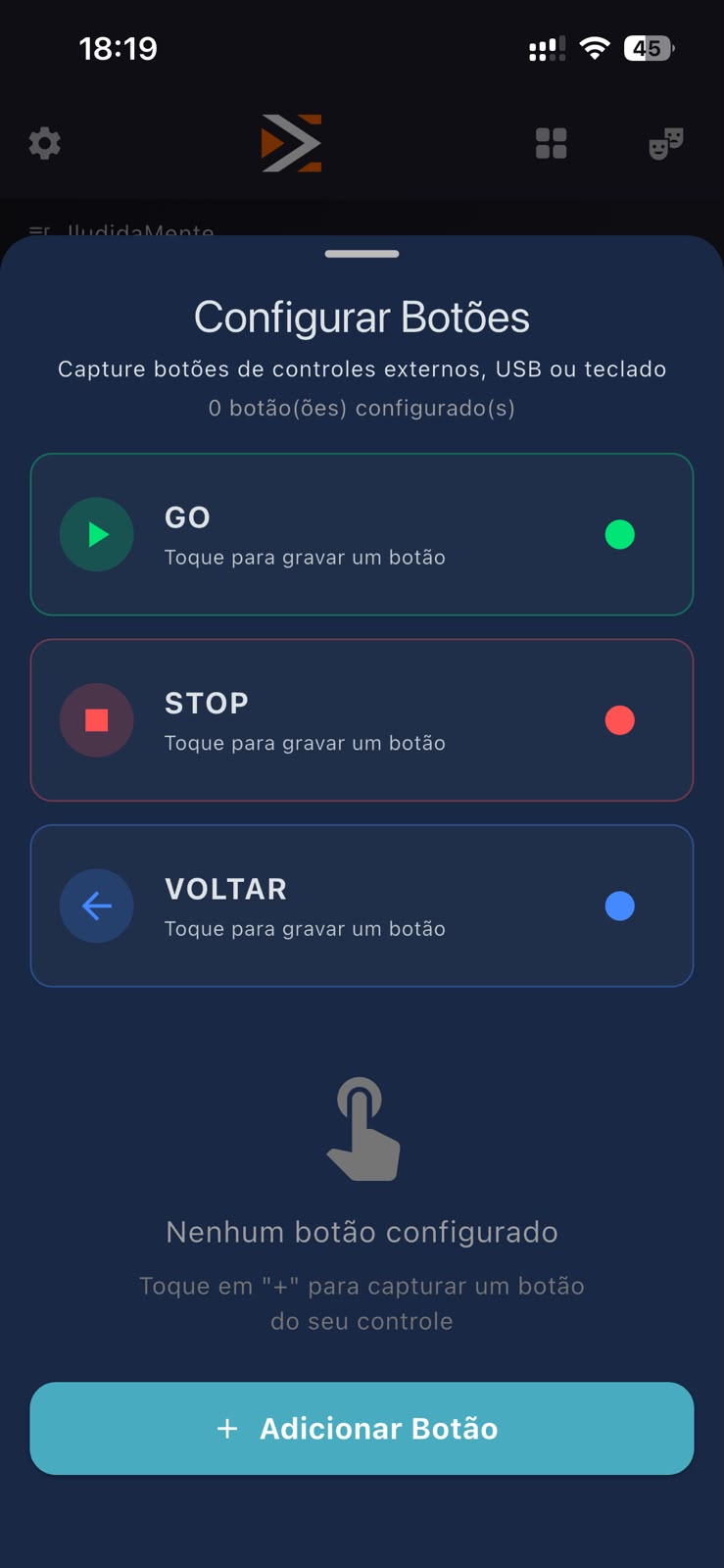
External controls
Maestro accepts controls connected to your device. There is also the Maestro Controle, designed to operate the show hands-free.
How to use- Connect a compatible control
- Map commands to show functions
- Use the trigger that best suits your performance
Maestro on Windows
With a Pro account, Maestro Show Control also runs on Windows. This is useful for building the show, rehearsing, or letting an assistant operate the sound.
How to use- Get Pro from your device’s app store
- Connect Windows via the app
- Use the same show on your computer
TO BE INSERTED
Backup and transport
Export your show along with its audio files to transfer to another device or keep a backup.
How to use- Export the show through the manager
- Save or share the file
- Import and resume the same structure
TO BE INSERTED
From mobile to computer.
The Pro purchase lives within the store where it was made. Bought on the App Store: use it on up to 6 Apple devices and 1 Windows computer. Bought on Google Play: use it on up to 4 Android devices, including tablets, and 1 Windows computer. Purchases cannot be transferred from one ecosystem to the other.
Start for free. Unlock when you need to.
Free
- Up to 2 shows
- Up to 15 cues
- Full audio editor
- Fade, loop, and volume
- Voice recording
- Offline operation
Lifetime Maestro Pro
Professional audio control for music, effects, and cues in your show.
- Unlimited shows and cues
- Unlimited acts and playlists
- 1 Windows computer per Pro account
- Backup e transporte de shows
- Up to 6 Apple devices
- Up to 4 Android devices, including tablets
- One-time purchase, no subscriptions
Maestro Pro in this version includes the professional audio control features presented on this page. Future features in other categories, such as lighting or hardware, may be offered separately.
Start for free and discover Pro right in your store.
Control the show hands-free.
Maestro Controle is an optional hardware for those who need to trigger GO and STOP without touching the screen. It communicates with the app up to 20 meters away and includes a USB receiver for computer use.
Made to order. Contact us to check availability and place your order.
Maestro Controle is in development.
Experiences to be added later.
Frequently asked questions.
Do I need internet during the show?
No. Audio files are saved on the device and Maestro operates entirely offline. Internet is only required to download the app and purchase Pro.
I bought it on iPhone. Can I use it on Android?
No. Purchases live within the store where they were made. Buying on the App Store allows use on up to 6 Apple devices and 1 Windows computer. Buying on Google Play allows use on up to 4 Android devices, including tablets, and 1 Windows computer.
Is Maestro Controle mandatory?
No. The app works via the touch screen and also accepts compatible controls connected to the device. Maestro Controle is an option for those who need to operate hands-free.
What is the range of Maestro Controle?
Up to 20 meters between the control and the device, with a receiver included for computer use.
Does the audio keep playing if I leave the app?
Yes. Playback continues in the background.
What does the free version do?
Up to 2 shows and 15 cues, with audio editor, fade, loop, volume, voice recording, and offline operation. Pro removes these limits and unlocks Windows, backup, and show transport.
Do I need audio experience to use it?
No. Start by organizing only the moments you want to play and trigger each one with one touch.
Can I use it alone, without a sound technician?
Yes. Maestro is made for you to lead the audio at the pace of the scene without depending on someone else.
Does Maestro work if I have never used music in a show?
Yes. Start with one song, one pause, or one effect and grow at your own pace.
Can I start with just one song and one effect?
Yes. The free version lets you build your first routine with up to 15 moments.
Can I connect my phone to a regular speaker?
Yes. Use the connection compatible with your speaker or audio system.